
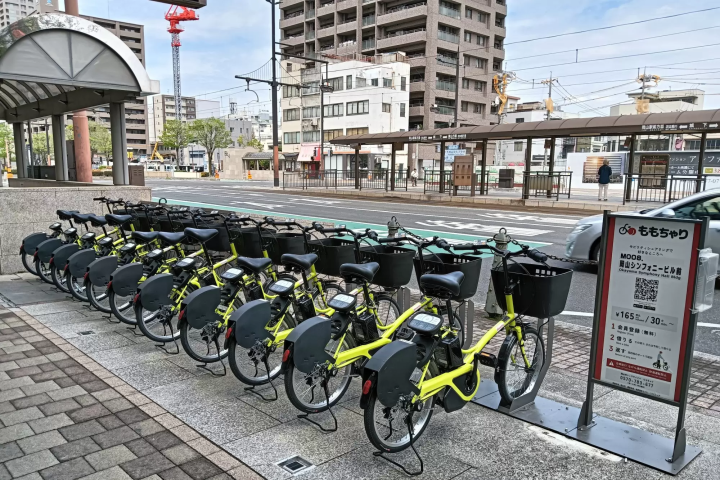
Okayama City's shared bicycle service, "Momochari," has been revamped! All bikes are now electric-assist bicycles, and the number of stations where bikes are available has been significantly increased. This article introduces the revamped "Momochari," which can be conveniently used for sightseeing in Okayama City.

Written by
Okayama Prefecture is located in the Center of Western Japan and is known as the "Land of Sunshine" due to its warm climate and little rain throughout the year. It's conveniently located halfway between famous tourist destinations like Kyoto, Osaka, and Hiroshima! It's also the gateway to Shikoku via the Seto. Okayama is also known as the "Fruit Okayama," and the fruits that are sun-drenched in the warm climate of the Setouchi are of the highest quality in terms of sweetness, aroma, and flavor. You can enjoy seasonal fruits such as white peaches, Muscat grapes, and Pione grapes! Okayama is also home to world-class tourist spots, including Okayama Castle, Okayama Korakuen Garden, one of Japan's three most famous gardens, and Kurashiki Bikan Historical Quarter, which boasts history, culture, and art!
-
Table of Contents
- About "Momochari"
- Vehicles and port numbers have been significantly revamped!
- About pricing patterns
- How to use: ① Download the app
- How to use ② How to borrow
- How to use ③ Temporary bicycle parking
- How to use ④ How to return
- There are currently two manned service counters.
- summary
About "Momochari"
Momochari, a shared bicycle service operating in the central area of Okayama City in front of JR Okayama Station since 2013, reopened in March 2026 with a renewed look. With adjustments to pricing and usage methods, it seems even easier to use than before. Whether you're a long-time user or trying it for the first time, please read this article and try out Momochari for a more convenient experience.
Vehicles and port numbers have been significantly revamped!
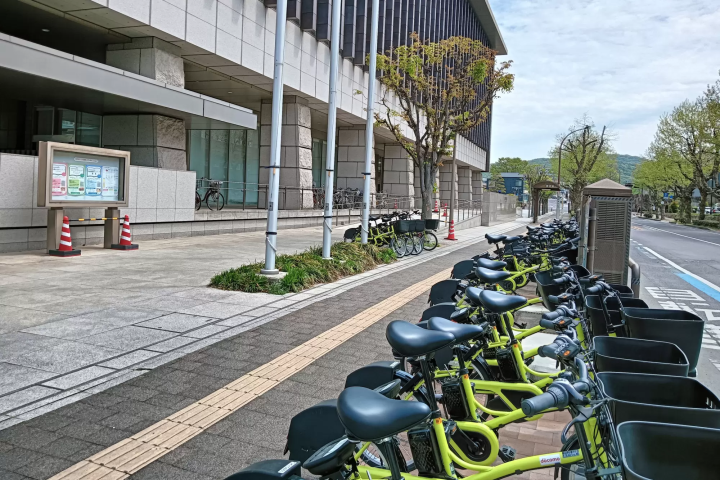
First of all, the number of bicycle parking ports has increased. As of May 2026, there are 79 locations. They plan to continue increasing the number. Previously, there were very few ports in the JR Okayama Station West Exit area, but this renovation has resulted in a large-scale addition. The port at " Okayama Prefecture General Ground ," which is convenient for watching Fagiano OKAYAMA soccer matches, has been enlarged, and a new port has been added at " Ikeda Zoo ," a tourist spot accessible from the west exit of the station. Currently, there are 500 bicycles in operation, but they plan to increase that to 900 by 2030.
Ikeda Zoo
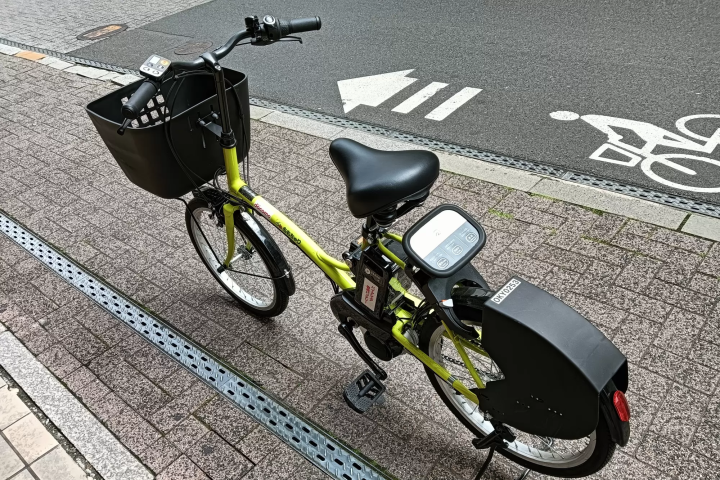
Furthermore, all bicycles now come with electric assist, allowing you to ride without worrying about slight inclines or declines. The aforementioned Ikeda Zoo is a bit of a distance away, about 20 minutes by bicycle from JR Okayama Station, but with the electric assist, it's less strenuous and you can enjoy it like a leisurely bike ride. Puncture-proof tires have also been introduced for added peace of mind. And what I was personally happy about was the introduction of a large-capacity basket! As someone who always carries a lot of luggage, this was a great help. Even if you have a lot of souvenirs, the basket is deep enough that you don't have to worry about them falling out.
About pricing patterns
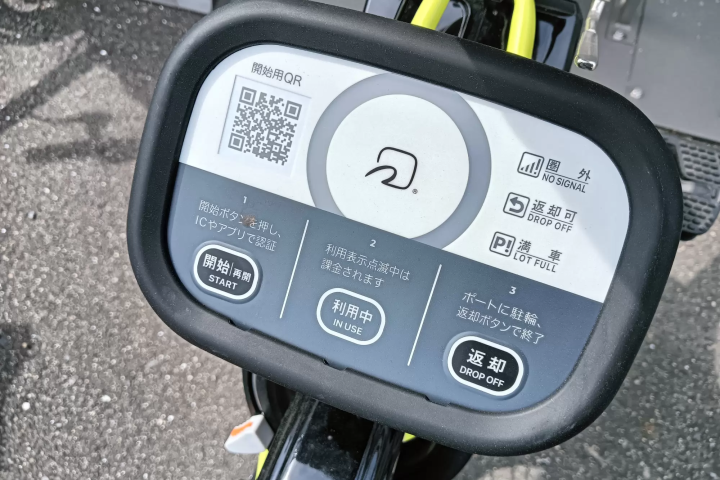
For short trips or when you just want to ride casually, there's a one-time plan for 165 yen. Purchase it through the dedicated app, and you can start riding immediately by scanning the QR code on the bicycle with the app's camera function. There are no additional charges as long as the entire process, from unlocking the bike to returning it to a port and locking it, is completed within 30 minutes. Please note that if you exceed 30 minutes, an extension fee (165 yen/30 minutes) will be charged. There is also a monthly plan for 2,200 yen, but extension fees will also be charged if each use exceeds 30 minutes.
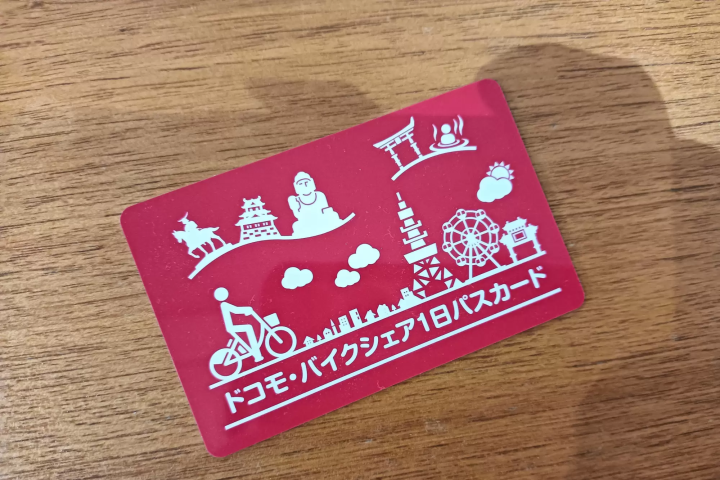
For those who want to ride without worrying about the time, a one-day pass is available for 1,650 yen (passes cannot be purchased via the app). These are available at manned ticket counters or convenience stores. If you purchase at a manned ticket counter, you will be issued a special card similar to an IC card, which you can hold over the IC part of the bicycle to unlock and ride. It can be used until 23:59 on the same day without a 30-minute time limit, making it very convenient for places where there are no ports nearby or when you plan to stay for a long time without leaving your bicycle at a port, such as for a meal.
How to use: ① Download the app
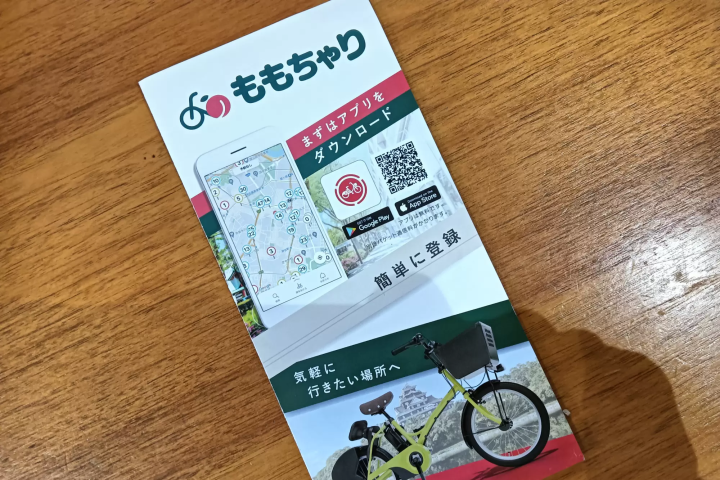
One of the major changes in this renewal is the introduction of the official "Momochari" app. You can check the location of ports, see the number of remaining bicycles at each port and the remaining battery status of electric assist bikes, and not only make reservations for rides but also make port return reservations to prevent being unable to return a bike if the port is full. You will need to register your email address and credit card number, but once registered you can use it anytime. Let's start by downloading the app!
How to use ② How to borrow
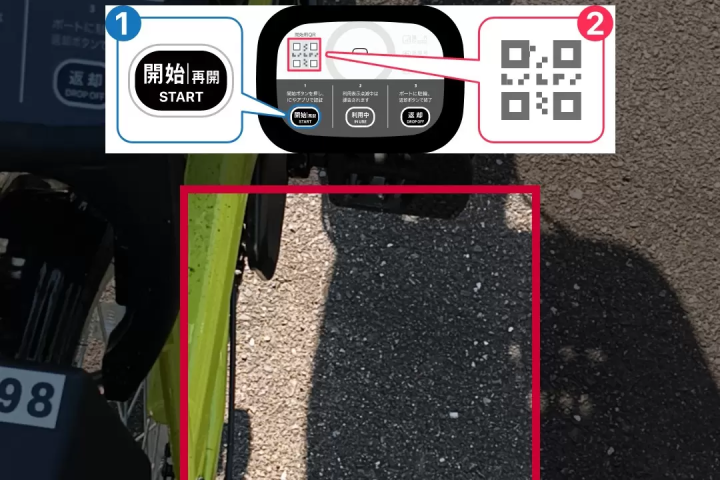
Once the app is ready, it's time to use Momochari.
From the app, scan the QR code in the bicycle reservation or lock unlock menu to display the screen.
↓
Press the "Start" button on the bicycle itself.
↓
Scan the QR code with the app's camera. *If using an IC card, hold the card over the reader to unlock.
↓
The lock will be unlocked and the room will be available for use.
Once unlocked, a 30-minute countdown will begin, and you can board immediately.
How to use ③ Temporary bicycle parking
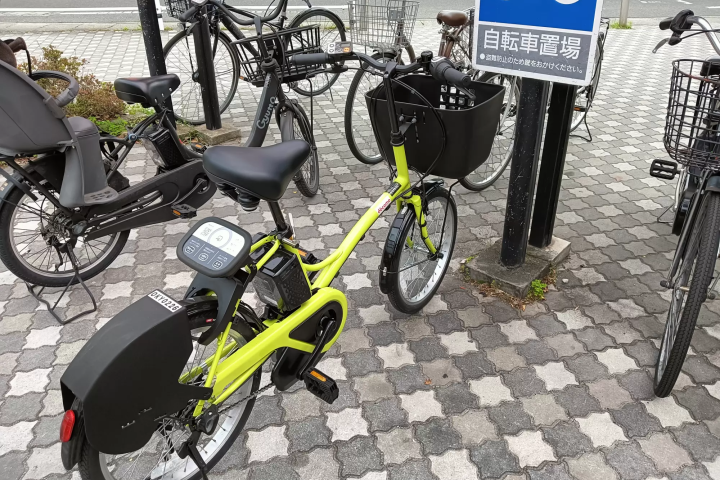
This explains how to temporarily park your bicycle when entering a store or other location. Please note that a usage fee will be charged even during temporary parking. If you will be away for an extended period, we recommend returning the bicycle to a port.
[When parking]
Please park your bicycle in an area where parking is permitted and manually lock the rear of the bicycle. *Once the lock is secured, you will receive a "Lock Confirmation" email at your registered email address. *The locking method varies depending on the type of lock. *If there is an orange knob, please press it while locking.
[When riding again]
Press the "Start" button on the bicycle, unlock it using the same method you used when you rented it, and then resume using it.
How to use ④ How to return
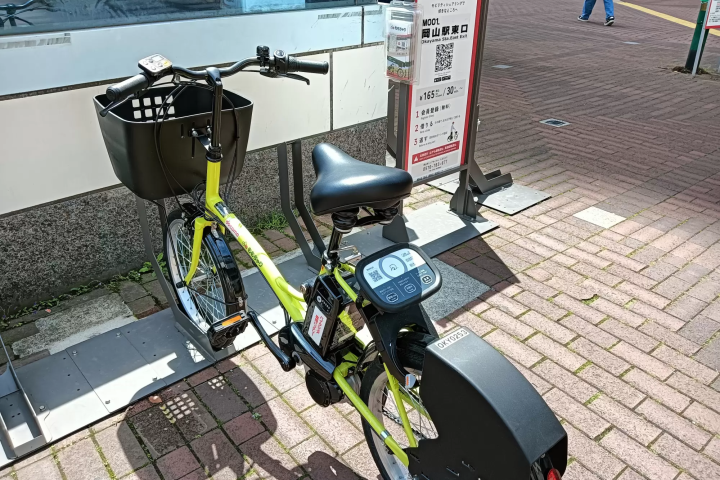
Next, let's look at how to return it.
Please park your bicycle inside the cycle port and manually lock the rear of the bicycle.
↓
When the "Returnable" indicator on the bicycle's control terminal lights up, press the "Return" button. The ring will light up blue when the return is complete. There is a slight time lag between parking at the port and returning the bicycle, so please take your time and return it properly. I once pressed the return button immediately after parking at a port and thought I had returned it, but I hadn't. There is also a voice guidance, so please check it.
Once the return is complete, you will receive a "Return Complete" email at your registered email address. You will also receive a "Return Complete" notification in the app's "Notifications for You" section. We want to help you avoid any return mistakes. There is a 30-minute time limit before locking, so we recommend returning the item with a little extra time to spare.
There are currently two manned service counters.
There are currently two manned service counters near JR Okayama Station where you can receive user guidance. Since there are many things to do when you first start using the service, such as setting up the app, it's a good idea to talk to someone at a manned counter if you're unsure. You can only get a one-day IC pass at these locations, so if you want one, please go to a manned counter. Free helmet rentals are also available. When returning a helmet, please put it in the return box next to the counter.
The counter on the first floor of the Daiichi Central Building in front of JR Okayama is open until 5 PM, but they said that returns are possible until 8 PM when the building closes.
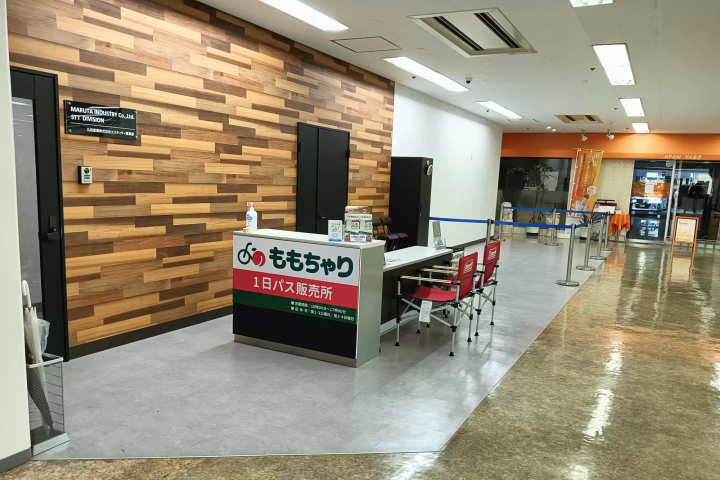
[First Central Building, 1st Floor]
Location: 6-36 Okayama Prefecture, Kita-ku , Okayama City, Kita Ward
Opening hours: 10:00 - 17:00
Closed: 1st and 3rd Saturdays, 2nd and 4th Sundays
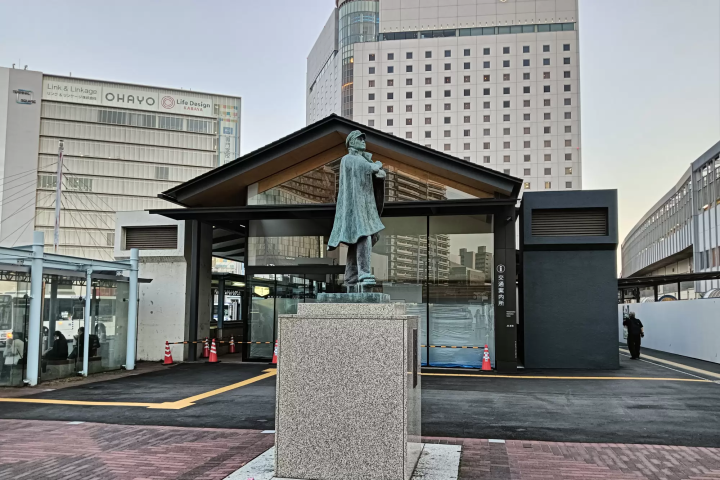
[Okayama Station East Exit Plaza Public Transportation Information Center]
Location: Inside the plaza in front of the east exit of JR Okayama Station
Opening hours: 8:00 AM - 7:00 PM
Closed during the New Year holidays.
summary
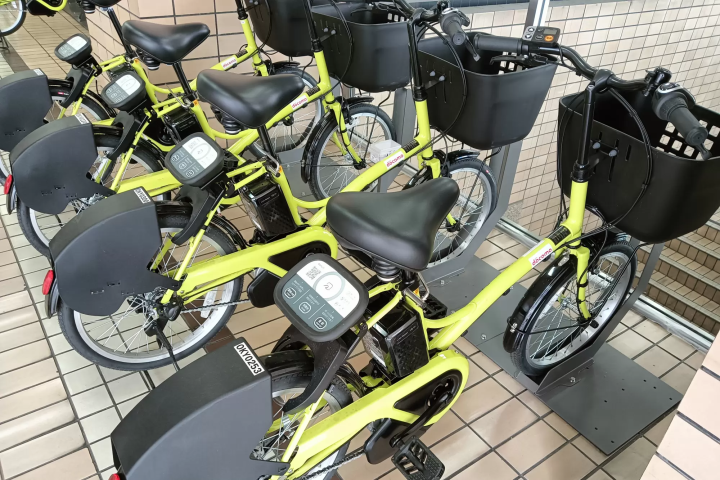
Momochari has undergone a major renovation. Personally, I recommend the one-day pass. You can use it for a full day without having to return it to a port, so you can use it freely like a rental bicycle without worrying about time limits. Of course, you can also switch bikes each time you use it. Please make good use of it and enjoy sightseeing in Okayama City!








![[Tokyo, Shinjuku] Buy Matcha Here! 2 Long-established Japanese Tea Shops Where You Can Get the Authentic Taste!](https://resources.matcha-jp.com/resize/720x2000/2025/09/24-245090.webp)




![[Kyoto Prefecture ] Let's go see Fukuchiyama Castle, the symbol of Fukuchiyama City | Highlights and seasonal events](https://resources.matcha-jp.com/resize/720x2000/2026/02/12-258435.webp)
![[Gozaisho Ropeway] Gourmet Guide](https://resources.matcha-jp.com/resize/720x2000/2025/12/03-251960.webp)